I Tested the Most Popular ClassDojo Alternatives. Here's What I Found.
A 3rd grade teacher's honest take on what actually works, and what's just a different flavor of the same frustration.
ClassDojo is the most widely used classroom app in the world. It's also the most searched for alternatives. That's not a contradiction. It just means ClassDojo works well for some teachers and not at all for others, and the teachers it doesn't work for are increasingly vocal about it.
If you're in that second group, here's what to consider instead.
Why Teachers Look for ClassDojo Alternatives
The reasons tend to cluster into a few categories:
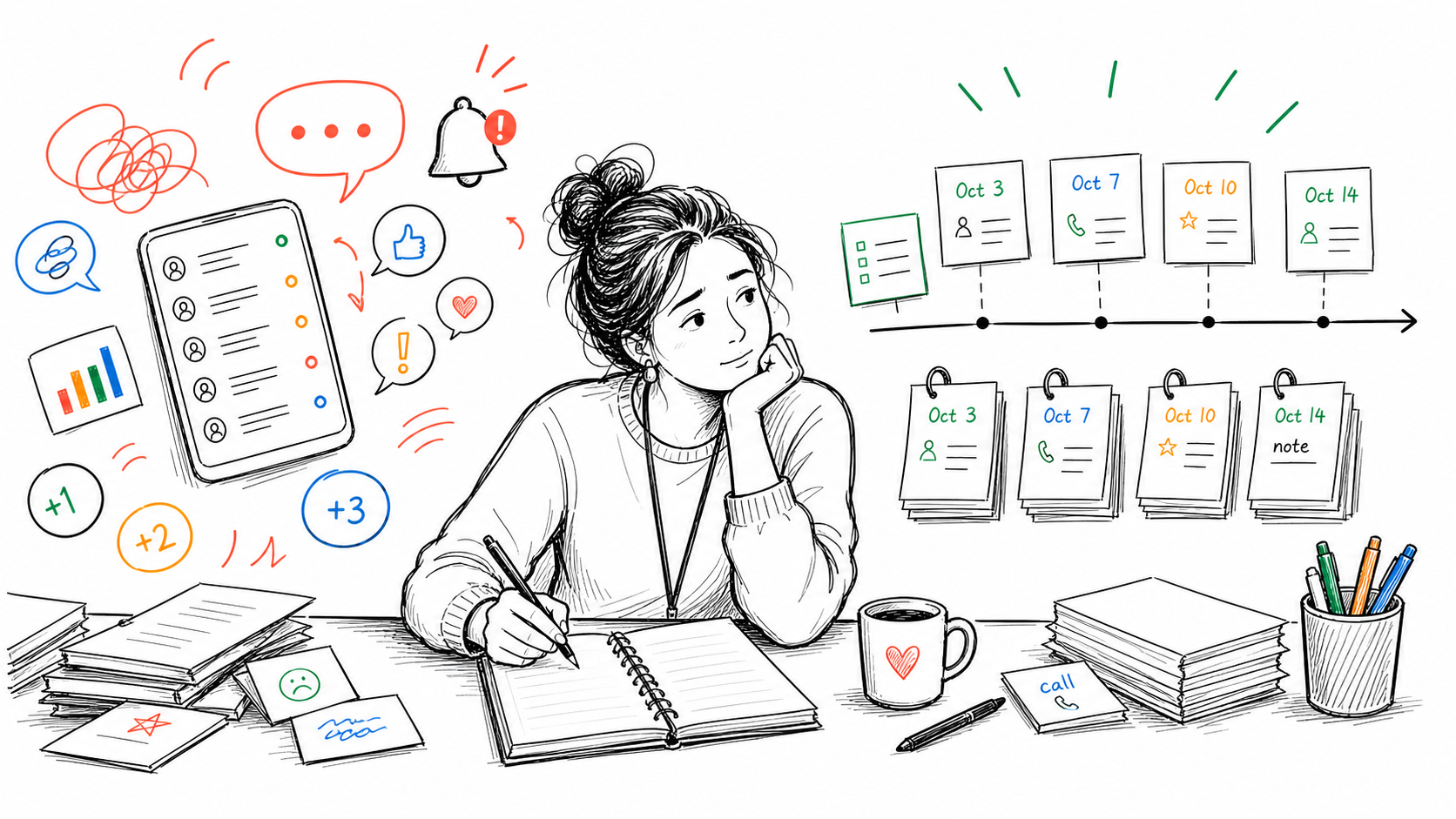
Grade level. The avatar and points system works well in K-2. By 3rd or 4th grade, the gamification stops landing. Your most complex students checked out of their monster avatar in October. (Somewhere out there a ClassDojo character is still waiting for points that are never coming.)
Documentation. ClassDojo wasn't built for professional record-keeping. Points aren't a documentation record. When you need to show a behavioral pattern at an IEP meeting, a screenshot of colored bubbles won't give you what you need. The teacher documentation log template is a simple starting point for building a real record.
Parent dependency. ClassDojo's communication features only work if parents download the app and actually use it. In some communities that happens. In others, you spend the year sending updates into a void.
Logging speed. Navigating to a student and adding a note during a live lesson takes 60-90 seconds minimum. For many teachers, that's too slow, and the system quietly stops being used by February.
The Best ClassDojo Alternatives in 2026
1. ShortHand
Best for: Teachers who need fast behavior logging, parent contact records, and documentation that holds up in meetings.
I built this one, so take that for what it's worth. I went looking for it first, as a 3rd grade teacher who kept showing up to IEP meetings with nothing useful written down. I couldn't find it, so I made it.
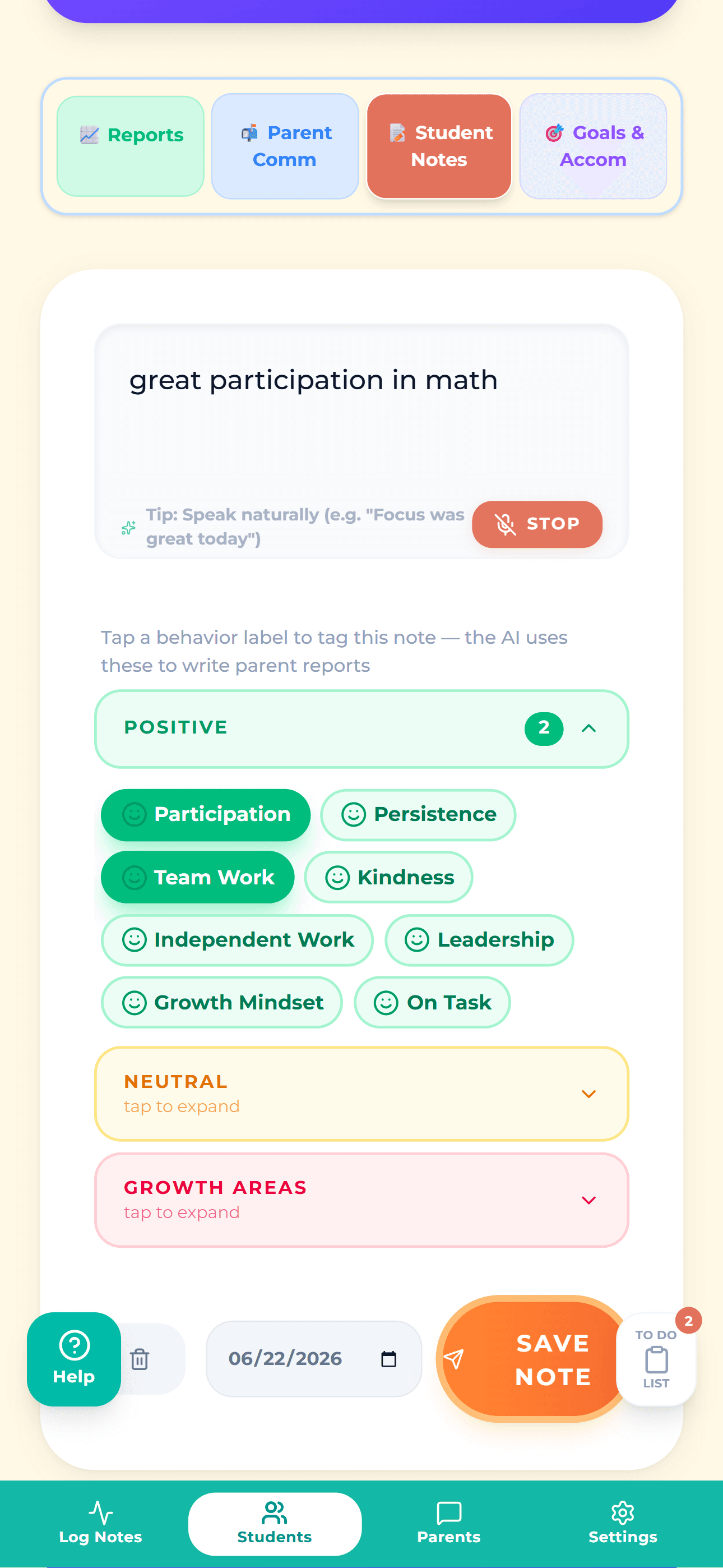
ShortHand is built around the problem most behavior apps don't solve: the gap between noticing something, logging it, and communicating with the parent. Everything happens in one place from your phone: behavior note, mood check-in, parent contact log, AI-drafted follow-up email.
Logging takes under 10 seconds. Notes are timestamped and tied to the student. When a parent says "nobody ever told me," you have the record. When an IEP meeting asks for documentation from October, you pull it up in 30 seconds.
And when a note has to end up somewhere else, one tap strips the conversational padding out of it so you can paste it straight into your district's system without rewriting it by hand. That's the part I care about most: ShortHand isn't trying to replace the platform your school already requires. It's trying to make feeding that platform take seconds instead of your prep period.
It works without school buy-in. No IT ticket, no license, no waiting for an admin to set it up. Free to start, no credit card required.
Doesn't do: Student-facing gamification, class announcement feeds, conference scheduling.
2. Bloomz
Best for: Teachers who want a broader platform covering announcements, messaging, and behavior in one place.
Bloomz combines parent messaging, behavior tracking, class updates, and conference scheduling. It's the closest thing to a full ClassDojo replacement in terms of feature breadth.
The trade-offs: it's sold to schools per student, starting around $3 per student per year, so it isn't something you can adopt on your own the way you could a few years ago. Once a school buys it, it's free for teachers and families. Reach is genuinely good, since it sends by email, SMS, and voice rather than depending on parents installing the app.
Doesn't do: AI-assisted parent email drafting, works-without-parent-sign-up logging.
3. Class Charts
Best for: Secondary teachers whose school or department has adopted it.
Class Charts is popular in middle and high school settings, particularly in the UK. The seating chart integration is genuinely useful. You can log behavior visually by position, which helps spot classroom patterns. Solid reporting tools for administrators.
As a solo classroom tool it's harder to justify. The setup curve is steep, the free tier is limited, and the tool works best when the whole school is using it together.
Doesn't do: Parent communication, AI features, lightweight solo use.
4. PBIS Rewards
Best for: Schools already running a formal PBIS program.
PBIS Rewards replaces ClassDojo's points system with a school-wide structure tied to your building's behavioral expectations. Students earn points redeemable at a school store. Administrators get behavior dashboards across the building.
This is a school-wide adoption, not a personal classroom tool. If your school isn't already on it, it's not an option for an individual teacher.
Doesn't do: Individual classroom use, parent contact logging, anything without admin setup.
5. Seesaw
Best for: K-5 teachers who want a student portfolio and family communication platform.
Seesaw is well-loved in elementary schools for sharing student work with families. Photo uploads, video clips, digital portfolios, and parent messaging are all polished and easy to use.
It isn't a behavior tracking tool. If documentation and parent contact records are your primary need, Seesaw won't fill that gap. If you want a ClassDojo replacement for the class story and family engagement side, Seesaw is worth a look. If you're weighing these two head to head, I wrote a full ClassDojo vs Seesaw comparison that goes deeper on both.
Doesn't do: Behavior logging, incident documentation, IEP-ready records.
Quick Comparison
| App | Best for | Solo use? | Behavior logging? | Free tier? |
|---|---|---|---|---|
| ShortHand | Behavior docs + parent comms | Yes | Yes, phone-first | Yes |
| Bloomz | Full communication platform | No, school-purchased | Yes | Free once school buys |
| Class Charts | School-wide secondary tracking | Hard | Yes | Limited |
| PBIS Rewards | School PBIS programs | No | Yes | No |
| Seesaw | K-5 portfolios + family comms | Yes | No | Yes |
Best ClassDojo Alternatives by Need
Most teachers searching for a ClassDojo replacement are really trying to replace one specific thing it did, not all of it. Here's where to look depending on which piece you actually need.
If you need behavior documentation
This is the gap ClassDojo leaves most often. Points tell you a student got a "helping others" bubble sometime in October. They don't tell you what happened, when it happened, or who you contacted about it.
Look at ShortHand for solo classroom use, or Class Charts if your school has already adopted it. What you want is timestamped notes tied to a student, parent contact logged with dates, and a clean way to get any of it back out: exported to hand across a table at a meeting, or stripped down and pasted straight into whatever system your district already makes you log things in. A tool that traps your notes inside itself has just become one more place to check. Not ready to switch apps at all? A free printable parent communication log covers the same basic need on paper.
If you need parent communication
If messaging families was the only part of ClassDojo you actually used, you don't need a behavior app at all. Remind and TalkingPoints both handle teacher-to-parent messaging without asking parents to manage another account, and TalkingPoints handles translation well if that matters in your community. Seesaw and Bloomz are better fits if you also want to share photos and student work. If documentation matters as much as sending the message, this comparison of parent communication apps breaks down which ones actually keep a record you can pull up later.
If you need points and rewards
If the points system is working for you and you just want it somewhere better, LiveSchool is the closest match in spirit: points, rewards, and student-facing feedback, and it tends to hold up with older students better than avatars do. It's usually purchased at the school level rather than by one teacher, and the same is true of PBIS Rewards, which makes sense if your building already runs a formal PBIS program.
Worth saying plainly: ShortHand doesn't do points. That's a deliberate choice, not a missing feature. It's built for the teachers who stopped wanting a public points board in the first place.
If you need grading
Search "ClassDojo alternatives for grading" and you'll get a long list of behavior apps that don't grade anything, including most of this page.
So here's the honest version: ClassDojo was never a gradebook. If grading is what you're after, you're looking at a different category of product entirely. That means your district's student information system (PowerSchool, Infinite Campus, Skyward), or Google Classroom if you want something lighter that keeps assignments and grades together.
ShortHand doesn't do grading either, and it isn't going to. Behavior notes and grades are separate records for good reason, and the moment they live in the same place, one of them starts influencing how you write the other.
If you need lesson planning
Same answer, different category. ClassDojo didn't do lesson planning, so nothing on a ClassDojo alternatives list is going to replace it for you.
Planbook and Common Curriculum are the dedicated tools teachers actually use for this, and Google Classroom covers it loosely if you're already working inside it. If you landed here searching for ClassDojo alternatives for lesson planning, the useful thing I can tell you is that you're shopping for a planning tool, not a behavior app, and you'll find much better options once you search that way.
ClassDojo vs HiTeach
This one comes up more than you'd expect, so it's worth being direct: these two tools aren't really competing with each other.
HiTeach is smart classroom software. It's built around interactive displays, student response systems, and live formative assessment. You push a question out, every student answers, and the results come up on the board while the lesson is still happening. The engagement and points layer exists to support the lesson in front of you.
ClassDojo is a behavior and communication tool. It runs across the whole day instead of inside a single lesson, and its real center of gravity is the parent-facing side.
If you're comparing the two, the question isn't which one is better. It's which job you're hiring for. Trying to make live lessons more interactive on a classroom display? That's HiTeach's category. Trying to manage behavior and keep families in the loop? That's ClassDojo, or one of the alternatives above depending on which piece you need.
One practical note: HiTeach is typically a school or district deployment and generally assumes classroom display hardware is already in place. It isn't something an individual teacher signs up for on a Sunday night the way you can with ClassDojo, Seesaw, or ShortHand.
How to Choose
If you teach K-2 and your students still respond to the gamification, stay on ClassDojo. There's no reason to switch a system that's working.
If you're past that point and you need actual documentation, parent contact records, and something that holds up in a meeting, ShortHand is the one built for that specific problem. No school license needed, no parent app required, free to start.
If you want a full communication hub to replace everything ClassDojo does, Bloomz is the closest match, but it's a school-level purchase now rather than something you can sign up for alone.
Everything else on this list is built for a different primary use case and is worth considering only if that use case fits your situation.
Try ShortHand free and have it set up before the end of the day.
Frequently Asked Questions
Stop trying to remember everything.
Try ShortHand Free →