How to Document Student Behavior for IEP Meetings (Without Losing Your Mind)
A realistic system from someone who has collected data both ways
Before I was a 3rd-grade teacher, I spent years working as a Registered Behavior Technician. My entire job was data. I had clickers, timers, and binders. I could tell you exactly how many times a student tapped a pencil over a six-hour span.
Then I moved into the general ed classroom and realized the truth: teachers are expected to collect RBT-level data with zero RBT-level time.
If you're relying on sticky notes and Friday afternoon catch-up, you aren't failing. You're just using a system that wasn't built for a room of 25 kids.
Here's how to fix it.
What the IEP Team Actually Needs From You
A lot of teachers dread IEP meetings because they feel underprepared. The case manager has binders. The specialist has assessment data. And you have... a general sense of how the kid has been doing.
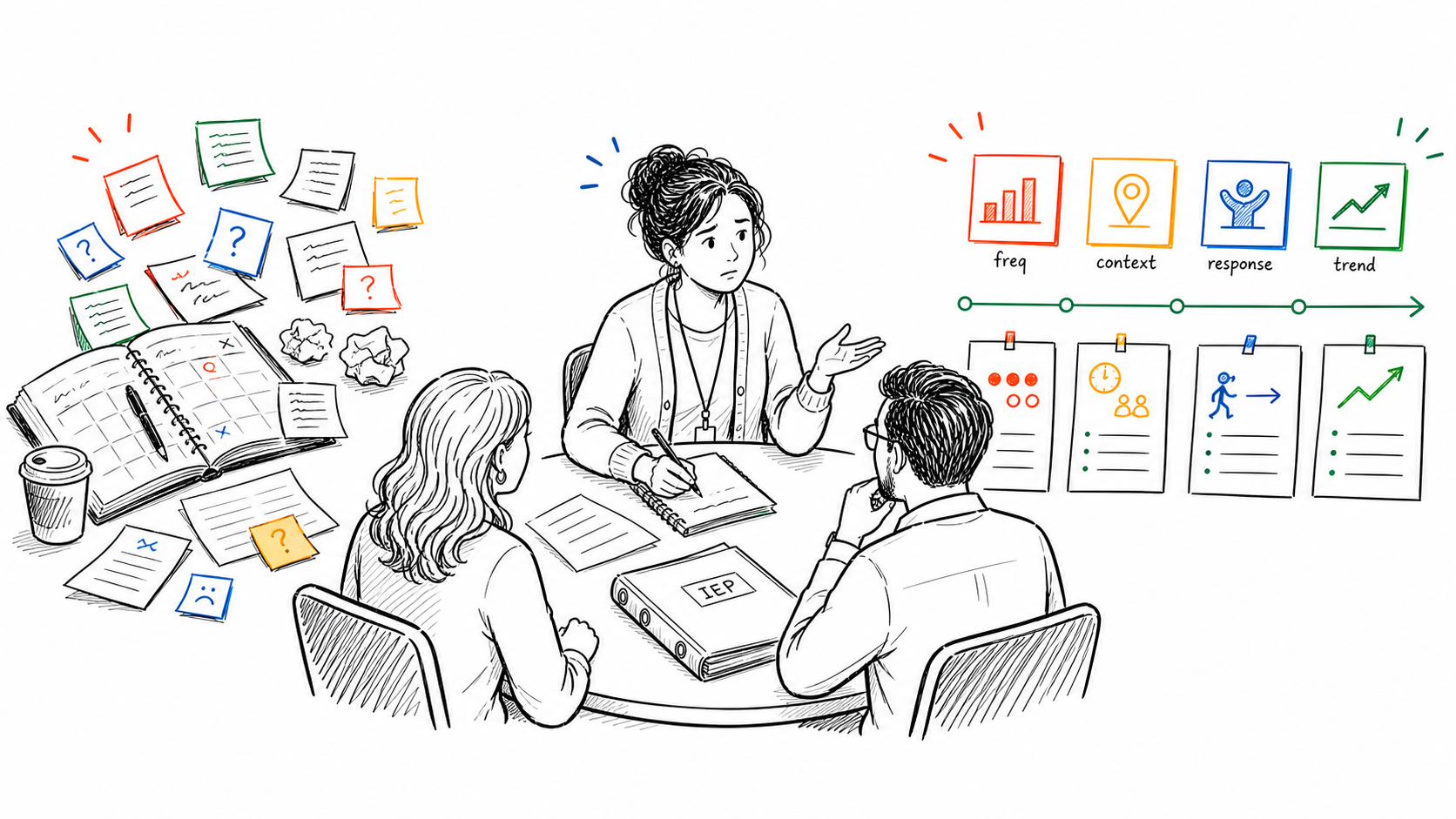
The good news is that the IEP team doesn't need you to be a behavior analyst. They need you to be a classroom teacher who has been paying attention and writing things down. Here are the four things that actually matter.
| What to Document | Weak Example | Strong Example |
|---|---|---|
| Frequency | "He's disruptive a lot" | "Needed verbal prompts on 4 of the last 5 Mondays" |
| Context | "During class" | "During transitions from math to specials" |
| Response | "I dealt with it" | "Offered a movement break, behavior stopped within 2 min" |
| Trend | "It's been getting worse" | "Increased since October, improved after seating change" |
1. Frequency
Not "a lot." Use "3 times during math" or "4 out of 5 transitions."
Specific numbers are credible. Vague language like "often" or "sometimes" opens the door to disagreement. A parent who thinks their child is doing fine will push back on "sometimes struggles." They have a much harder time pushing back on "required verbal prompts on 4 of the last 5 Mondays."
Consistent tracking matters more than perfect tracking. A few solid data points per week is more useful than a spotty attempt at tracking everything.
2. Context
Does the behavior happen during independent work or group work? After lunch? During multi-step directions? Right before a transition?
Context is what turns a "bad day" into a solvable pattern. When you can say "he struggles most during unstructured transitions, especially between math and specials," you've given the team something to actually work with. That's the kind of observation that leads to real interventions.
3. Response and Outcome
What did you do when the behavior happened, and what happened next? This matters more than most teachers realize.
A few examples of what to log:
- Redirected verbally, student returned to task within two minutes
- Offered a movement break, behavior stopped
- Ignored the behavior, escalation continued
- Provided a visual schedule, student completed the transition independently
This is what helps the team figure out what actually works for that specific student. Your observations are clinical data, whether you think of them that way or not.
4. The Trend
This is the big one. IEP teams are not asking what happened yesterday. They're asking what has been happening over weeks and months.
Is the behavior increasing on Mondays? Getting worse in the afternoons? Did things improve after a seating change? Tapering off since you started using a visual timer?
If you can show a trend, you are doing this right. And if you've been logging consistently, the trend shows up on its own without you having to reconstruct it.
The 4 Biggest Documentation Traps
Most teachers aren't failing at this because they don't care. They're failing because the system they're using doesn't work in a real classroom.
The Sticky Note Graveyard
If your data lives on three different Post-its and a margin of a lesson plan, it isn't data. It's a puzzle you won't have time to solve before the meeting. Sticky notes are for reminders, not records.
Vague-Posting
Writing "he had a rough day" feels productive in the moment. But it's useless when you're sitting across from a case manager and a parent who wants specifics.
Try instead: "Required 3 verbal prompts to initiate task during independent math. Completed work after third prompt."
The Friday Amnesia
By Friday at 3:00 PM, Tuesday is a blur. You end up reconstructing the week from memory, which means you're guessing. Small incidents get forgotten. The positive moments disappear entirely. Patterns become invisible.
The only logging that actually counts is logging that happens in the moment. If it doesn't happen within an hour of the behavior, the detail is already degraded.
Only Tracking Big Behaviors
If you only document meltdowns and major incidents, your data tells an incomplete story. IEP teams need to see the early warning signs, the smaller disruptions, and the moments of success.
Without positive data, it looks like the student never does anything right. Without early warning data, it looks like behaviors come out of nowhere. Neither of those impressions helps the student.
A Simple System That Actually Works During the School Day
Here is the system I eventually landed on after years of trying things that didn't work.
Log in the moment, not later. Whatever you use, it has to be fast enough to use while teaching. If it takes more than 10 seconds, you won't do it. Voice-to-text changed everything for me. I can log a note while walking to the next student without breaking the flow of the lesson.
Use consistent categories. Don't create a new format every time. Pick three or four categories and stick to them: behavior, participation, emotional regulation, positive moment. Consistency is what makes patterns visible. If you're tracking Tier 2 MTSS interventions specifically, here is a format that works for that without requiring a separate binder.
Note the context automatically. Time and activity are the most useful contextual details. If your logging tool automatically timestamps the entry, you already have half the context captured.
Review weekly, not just before meetings. Spend five minutes on Friday looking at the week. You'll spot patterns you'd otherwise miss, and you'll be ready for meetings without cramming. When the meeting arrives, pair your data with this IEP meeting notes template so what gets decided is documented as carefully as what happened in class.
What Happens When You Get This Right
I sat in an IEP meeting once where I had to say "I know it happened, I just can't show you the exact dates." That is not a good feeling. The parent looked at the case manager. The case manager looked at me. And we moved on without the data point I knew was real.
That doesn't happen when you have a log. When I walk into a meeting now and someone asks about a specific behavior, I can pull up a timeline. I can show when it started, when it peaked, and what we tried. That changes the whole room.
The team trusts you more. The parent feels like their child is actually being seen. And you leave the meeting feeling like a professional instead of someone who showed up unprepared.
Why I Built ShortHand for Exactly This
If you want to see how ShortHand stacks up against tools built specifically for formal IEP data collection, this comparison of special education behavior tracking software lays out the tradeoffs honestly.
I got tired of the data stress. I needed a way to track behavior in the 10 seconds between passing out papers and starting a mini-lesson.
ShortHand captures notes in the moment using voice or text, automatically timestamps and categorizes them, and charts patterns over time. When an IEP meeting comes up, the data is already organized. You're not spending the night before a meeting reconstructing a month of observations. You're reviewing something that's already there.
The parent communication log is also built in, which means when the special ed teacher asks for your contact history with a family, you're not digging through Gmail. It's already documented and ready.
If you want to walk into your next IEP meeting with actual data, clear trends, and one less thing weighing on you, try ShortHand for free.
It's built for real classrooms, real schedules, and teachers who don't have time to babysit a data system.
Gregory Lebed is a 3rd grade teacher with 20+ years of K-8 experience and a former Registered Behavior Technician (RBT).
Part of The Teacher's Complete Guide to Documenting Student Behavior.
Stop trying to remember everything.
Try ShortHand Free →