Best Behavior Tracking Apps for Teachers in 2026 (5 Compared, Ranked)
Five apps compared, so you can stop using sticky notes and a prayer.
There are roughly four stages of teacher behavior tracking. Stage one: mental notes. Stage two: sticky notes. Stage three: a behavior tracking sheet you update every three weeks. Stage four: an actual app. (Stage five is being asked at an IEP meeting to produce documentation from October and realizing you're still in stage two.)
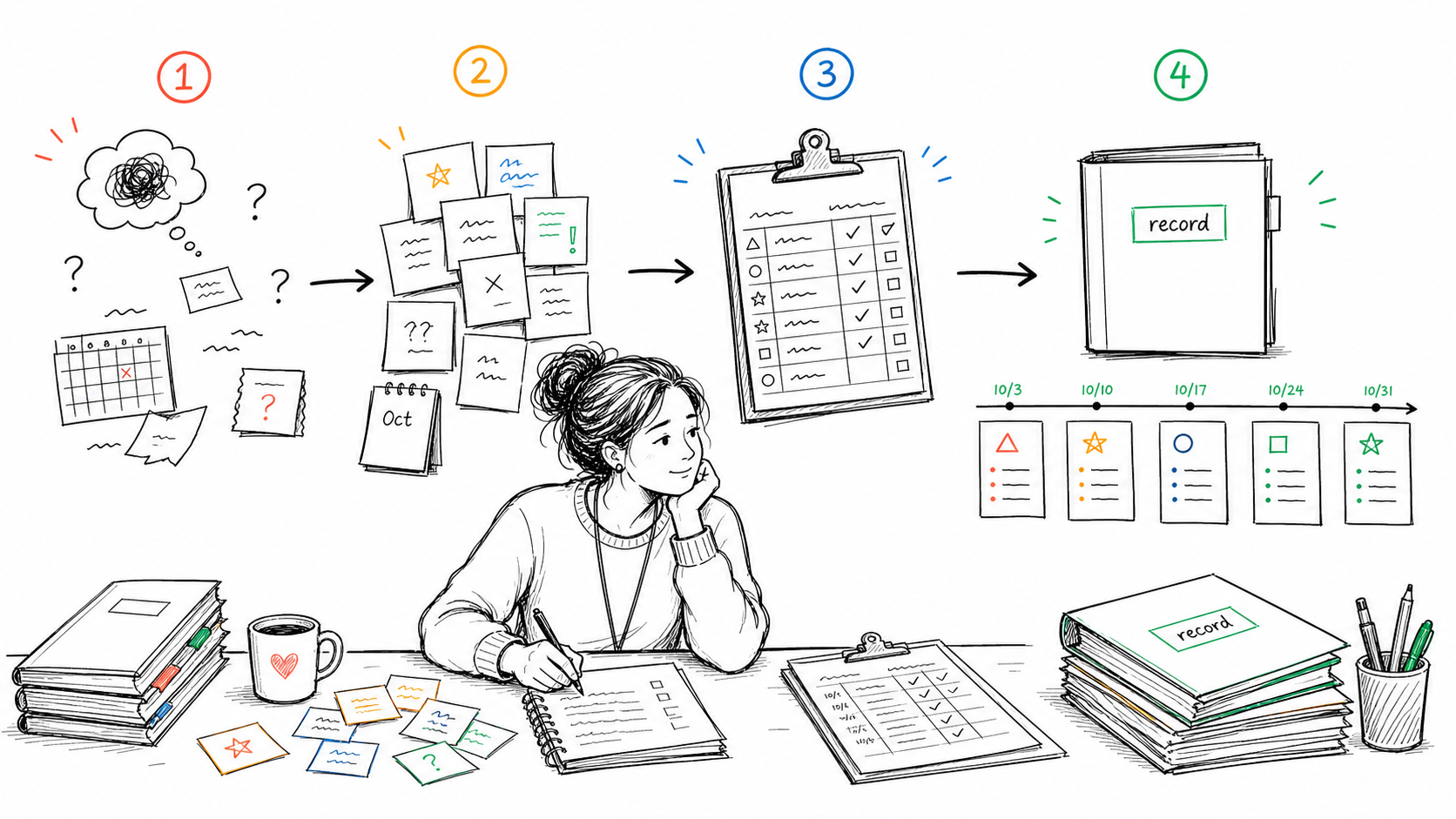
If you're ready for stage four, here's what's actually worth your time in 2026.
Teaching primarily in special education or collecting IEP behavior data? Read my in-depth guide to special education behavior tracking software instead.
Before we get into the list, a quick disclosure: I built one of the tools on it. Not because I set out to start a software company, but because I kept running into the same problem. I'd sit down for a parent meeting or report card and realize I was trying to reconstruct weeks of student behavior from memory, sticky notes, and half-finished spreadsheets. After one too many conversations that started with "I know it happened, I just can't remember exactly when," I decided there had to be a better way.
A note on context: I teach elementary school, third grade specifically. Most of these apps work across grade levels, but I'll flag where elementary teachers have different needs than secondary. A high school teacher managing 150 students across six periods has a different problem than an elementary teacher who's with the same 22 kids all day.
Why behavior tracking sheets aren't enough
Most teachers start with a sheet: a paper form, a Google Sheet, a clipboard with a tally grid. (If you're still at this stage, our free printable parent communication log is a cleaner version of that same sheet.) Sheets work until you need the data to work for you.
The moment a parent says "I never heard about this," or an administrator asks for documentation, or you're sitting in an IEP meeting trying to remember if the incident was October or November, that's when a sheet fails you. I've lived that feeling. Not because I wasn't paying attention, but because teaching is fast, messy, and full of interruptions. Memory is a terrible documentation system. The data is there, but it doesn't connect to anything. You still have to do all the work of retrieving it, explaining it, and proving what you communicated.
Digital behavior tracking apps solve the retrieval problem. The best ones solve the communication problem too.
What to Look for in a Behavior Tracking App
Before the list, the criteria. A good behavior tracking app for classroom teachers needs to do three things:
- Fast to log. If it takes more than 15 seconds to record something, you won't do it during class.
- Easy to retrieve. When a parent or administrator asks about a student, you need to find the information in under a minute.
- Connects to parent communication. Logging behavior without being able to share it with parents is half a solution.
With that in mind, here's how the main options stack up.
1. ClassDojo
Best for: Elementary teachers who want a parent-facing engagement tool.
ClassDojo is the most widely used classroom behavior app in the world, and for elementary school, it's genuinely good, if you're using it for what it was designed for. The points system, class story feed, and parent messaging are all well-built and familiar to most families.
Where it breaks down: ClassDojo isn't really a documentation tool. It's a communication and engagement platform. The behavior log isn't easy to export, search, or present at a meeting. Points given and taken don't automatically translate into a narrative that makes sense in a parent conference or an IEP. If a searchable behavior record is what you actually need, the teacher documentation log template is a simpler place to start.
It also requires parents to opt in and engage with the app, which works great in some school communities and barely at all in others.
The gap: Great for daily classroom culture, not great for building a searchable behavior record.
2. BehaviorSnap
Best for: Special education teachers doing formal behavior observation.
BehaviorSnap is purpose-built for collecting ABC data (antecedent, behavior, consequence) and interval recording, the kind of structured observation that goes into behavior intervention plans. If you're a SPED teacher or behavior specialist who needs to run a formal observation, it's one of the cleanest tools available.
For general education teachers, it's overkill. The interface is built around behavioral frameworks that most classroom teachers don't use day-to-day. You'd spend more time learning the app than logging behavior.
The gap: Excellent for formal observation, too structured for casual daily tracking.
3. Class Charts
Best for: Secondary teachers in schools that adopt it at the department or whole-school level.
Class Charts is popular in the UK and growing in the US. Its strongest feature is the seating chart integration. You can assign seats and track behavior visually by position, which is genuinely useful for spotting patterns across a class.
The problem for most teachers: Class Charts works best when your whole school or department is using it together. As a solo tool for one teacher, it's harder to justify the setup time. The free tier is limited, and the full feature set is priced for institutional use.
The gap: Powerful when adopted school-wide, harder to use as a solo classroom tool.
4. PBIS Rewards
Best for: Schools running a formal PBIS program.
PBIS Rewards is a school-wide system, not a classroom app. Teachers use it to award points tied to school-wide expectations (Respect, Responsibility, Safety), and students redeem points at a school store. It's well-designed for what it is.
But it requires school-wide buy-in, admin setup, and a points economy that someone has to manage. Individual teachers can't just download it and start using it. If your school isn't already on PBIS Rewards, this isn't an option.
The gap: Only relevant if your school has already adopted it.
5. ShortHand
Best for: Individual classroom teachers who need fast logging, parent contact records, and a documentation trail, without IT approval or a school license.
ShortHand is built around the problem most behavior tracking apps don't solve: the gap between noticing something, logging it, and communicating with parents about it. Everything happens in one place, from your phone.
Log a behavior note in seconds with pre-set tags (so you're not typing from scratch mid-lesson). Run a daily mood check-in. Log parent contact right after a call, timestamped, tied to the student, searchable later. When a parent says "nobody ever told me," you have the date, the summary, and what was decided, all in one screen.
A few things that make it different:
- No school buy-in needed. Download it, set up your class, use it today. No IT ticket, no license, no waiting.
- Phone-first. Designed to be used in the parking lot after a call, not at a desktop at 8 PM.
- Parent communication built in. The log isn't separate from the documentation. They're the same thing.
- Free to start. No credit card required to try it.
ShortHand won't run a formal ABC observation or manage a whole-school points economy. It's not trying to. It's built for the teacher who wants to stop forgetting what they said to which parent, and start going into conferences with actual notes.
The gap: Not the right tool for formal behavioral assessment or school-wide PBIS programs.
Quick Comparison
| App | Best for | Needs school buy-in? | Parent communication? | Free tier? |
|---|---|---|---|---|
| ClassDojo | Elementary engagement | No | Yes (parent app required) | Yes |
| BehaviorSnap | SPED observation | No | Export only | Limited |
| Class Charts | School-wide tracking | Ideally yes | Yes | Limited |
| PBIS Rewards | School PBIS programs | Yes | Via school system | No |
| ShortHand | Individual classroom teachers | No | Built in | Yes |
The Bottom Line
If your school is already on ClassDojo or PBIS Rewards, use it. Don't add another system.
If you're a SPED teacher running formal observations, BehaviorSnap is worth learning. And if your notes are more anecdotal records than behavior tallies, we compared that whole category separately in Student Observation Apps: What Actually Works.
If you're a general education teacher who wants to actually track behavior, document parent contact, and walk into a meeting with a real record, ShortHand is the one that fits how school days actually work.
No setup, no IT ticket, no waiting for someone else to decide. Just download it and go.
Related reading: Digital Tools for Recording Student Incidents and Progress
Frequently Asked Questions
Stop trying to remember everything.
Try ShortHand Free →