Digital Tools for Recording Student Incidents and Progress
Why teachers are going digital, and what actually works in a real classroom.
For most of my teaching career, my student incident log was a spiral notebook with my own shorthand scrawled in the margins. (Hence the name of the app I eventually built, but more on that later.)
The problem with paper isn't that it doesn't work. It works fine until you need it to work for you. Until a parent says "I never heard about this." Until an administrator asks for documentation. Until you're sitting in an IEP meeting trying to remember if that incident was October or November, and all you have is a notebook with three different handwriting styles because you switched pens twice.
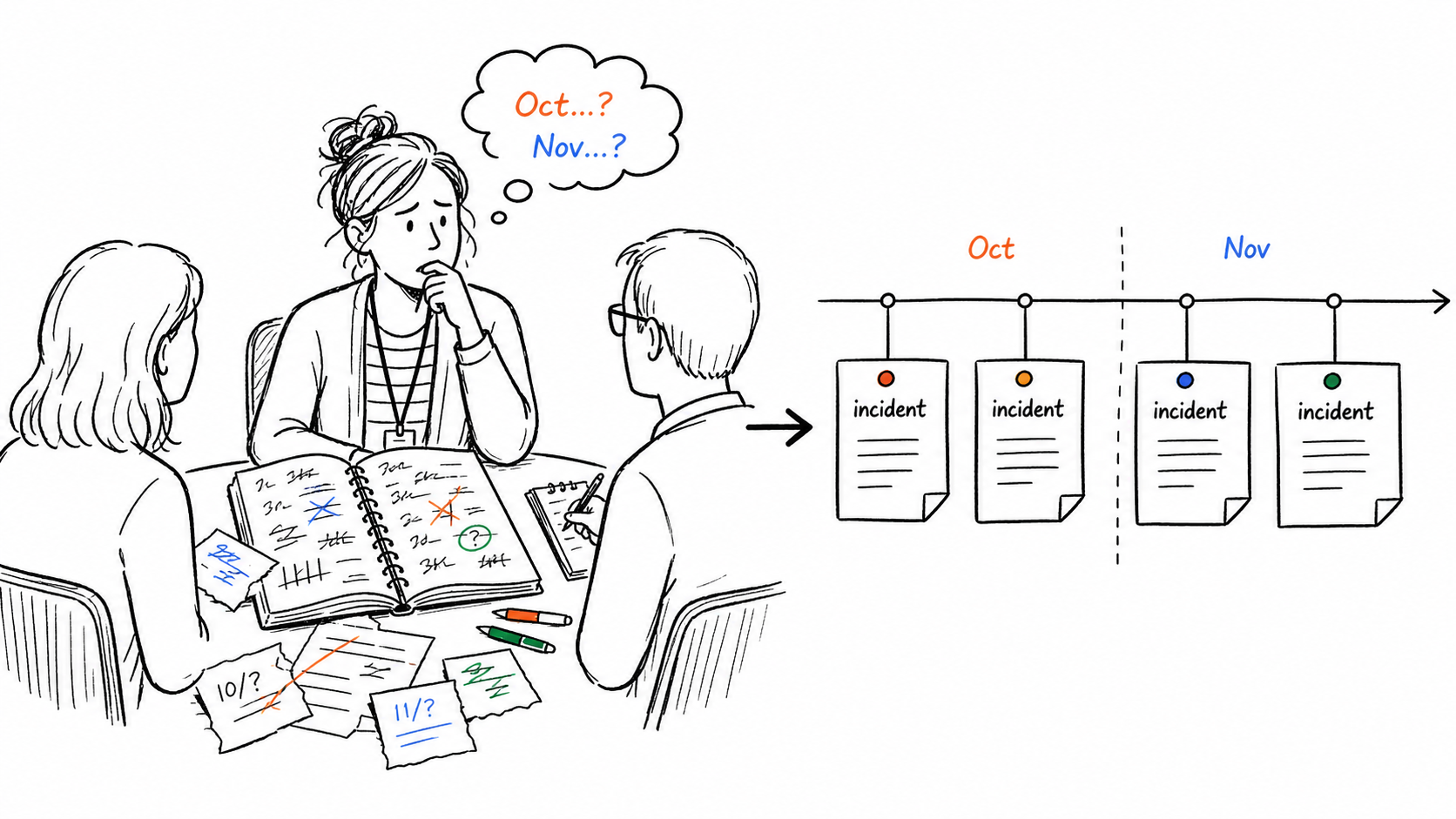
Digital tools for recording student incidents solve a specific problem: they make your documentation retrievable, searchable, and shareable when it matters most.
Here's what's actually worth using.
The Fragmentation Problem
Most teachers are not working with one system. They are managing a behavior log in a spreadsheet, parent contacts in email, and mood check-ins on a sticky note somewhere on their desk. When a support meeting or parent conference arrives, none of those sources talk to each other. You are cross-referencing three places trying to piece together a timeline that should have been in one place all along.
The right digital tool does not just record incidents faster. It keeps incident notes, parent contact records, and student history in one searchable place so you are not starting from scratch every time you need to report on a student.
What "recording student incidents" actually means
Before the list, a quick definition check, because this phrase covers a wide range of teacher needs:
- Behavior incidents: A student had an outburst, a conflict, or a pattern of off-task behavior you need to document.
- Progress notes: A student made a breakthrough, struggled with a specific skill, or showed a pattern worth tracking over time.
- Parent contact records: You called home, left a voicemail, sent a note, and you need proof it happened.
- Mood or wellness check-ins: You noticed a student seemed off and want to track it without making a formal referral.
The best tools handle more than one of these. The worst tools handle exactly one and make you use four apps.
The tools teachers actually use
Spreadsheets and Google Forms
This is where most teachers start, and there's no shame in it. A Google Form that logs to a Sheet gives you a timestamp, a student name, and a free-text field. It's free, it works, and you already know how to use it.
The real limitation: it doesn't do anything with the data after you log it. You can't pull up a single student's history in one tap, send a parent message from the same screen, or generate a summary for a meeting. You're still doing all the work. The form is just a fancier notebook.
Good for: Teachers who need a free starting point and are comfortable with spreadsheets. Not good for: Anyone who needs to retrieve or share data quickly.
ClassDojo
ClassDojo is the most widely used classroom behavior platform in elementary schools, and it's genuinely useful for what it was designed for. The parent communication feed, the points system, the class story: all well-built.
Where it falls short for incident documentation: ClassDojo isn't a record-keeping tool. You can award and remove points, but there's no structured way to log a specific incident, attach notes to it, record what you said to a parent, and pull that up six weeks later. The data lives in ClassDojo's ecosystem, not in a format you can easily export or present.
Good for: Daily classroom culture and parent engagement. Not good for: Building a documentation trail for IEPs, meetings, or pattern tracking.
BehaviorSnap
If you're a special education teacher or behavior specialist running formal observations, BehaviorSnap is purpose-built for you. It supports ABC data collection (antecedent, behavior, consequence), interval recording, and structured observation protocols.
For general education teachers, it's overkill. The interface is built around behavioral frameworks that most classroom teachers don't use day-to-day. It's a scalpel when most teachers need a really good pen.
Good for: SPED teachers doing formal behavioral assessments. Not good for: Classroom teachers who need fast, casual incident logging.
ShortHand
ShortHand is the tool I ended up building because none of the above solved the specific problem I kept running into: the gap between noticing something, logging it fast, and actually communicating with a parent about it.
The workflow looks like this. A student has an incident during class. I tap their name, tap a pre-set behavior tag (no typing from scratch mid-lesson), add a quick note, and I'm done in under 15 seconds. Later that day, or that week, or in three months when a parent says "this is the first I'm hearing of this," I can pull up every logged note for that student, see the pattern, and show exactly when I reached out and what was said.
A few things that make it different from the other options:
- Incident logging and parent contact are the same system. You're not logging in one place and emailing from another. The note and the communication record live together, tied to the student.
- Phone-first. Built to be used during a class transition, in the hallway, or in the parking lot after a call. Not at a desktop at 8 PM.
- No school buy-in required. You don't need an IT ticket, a department license, or anyone else's permission. Set up your class and use it today.
- Free to start. No credit card, no trial period countdown.
It also runs a daily mood check-in, which sounds optional until you notice a student who's been flagging low three days in a row and you're glad you caught it early.
Good for: Individual classroom teachers who need fast logging, parent contact records, and a documentation trail, without a system-wide rollout. Not good for: Formal behavioral assessments or whole-school PBIS programs.
The honest comparison
| Tool | Incident logging | Parent contact record | Retrievable history | Free |
|---|---|---|---|---|
| Google Sheets | Basic | Manual | Searchable but slow | Yes |
| ClassDojo | Points only | Via messaging | Limited | Yes |
| BehaviorSnap | Structured/formal | No | Yes | Limited |
| ShortHand | Fast + tagged | Built in | Yes, per student | Yes |
Why digital beats paper (when it matters)
Paper documentation has one real problem: it's only useful when you're holding it. The moment someone asks you a question you didn't anticipate, whether in a hallway, over email, or in a meeting, paper fails you.
Digital tools for recording student incidents give you the same information in your pocket. The timestamp is automatic. The student name is already linked. The parent contact record is attached. You don't have to remember anything because you already logged it.
I'm a 20-year classroom teacher. I resisted going digital longer than I should have. When I finally did, the thing that surprised me most wasn't the efficiency. It was the confidence. Walking into a parent meeting knowing exactly what happened, exactly when, and exactly what I'd already communicated. That's worth more than any feature list.
If you want to try ShortHand, it takes about five minutes to set up your class and log your first note. No IT ticket required.
Related reading: Best Behavior Tracking Apps for Teachers in 2026
Part of The Teacher's Complete Guide to Documenting Student Behavior.
Frequently Asked Questions
Stop trying to remember everything.
Try ShortHand Free →