Best Parent Teacher Communication Apps for Documentation (2026)
Most of these apps are great for announcements. Only one gives you a complete, searchable contact record when a parent says 'nobody ever called me.'
You are sitting in an IEP meeting. A parent looks across the table and says they were never contacted about their child failing math. They claim they had no idea there was a problem. You know you sent messages. You tried to reach out. But as you scramble to find anything on your phone, you realize your classroom app only shows a messy feed of announcements and deleted notifications. You look disorganized. You look unprepared.
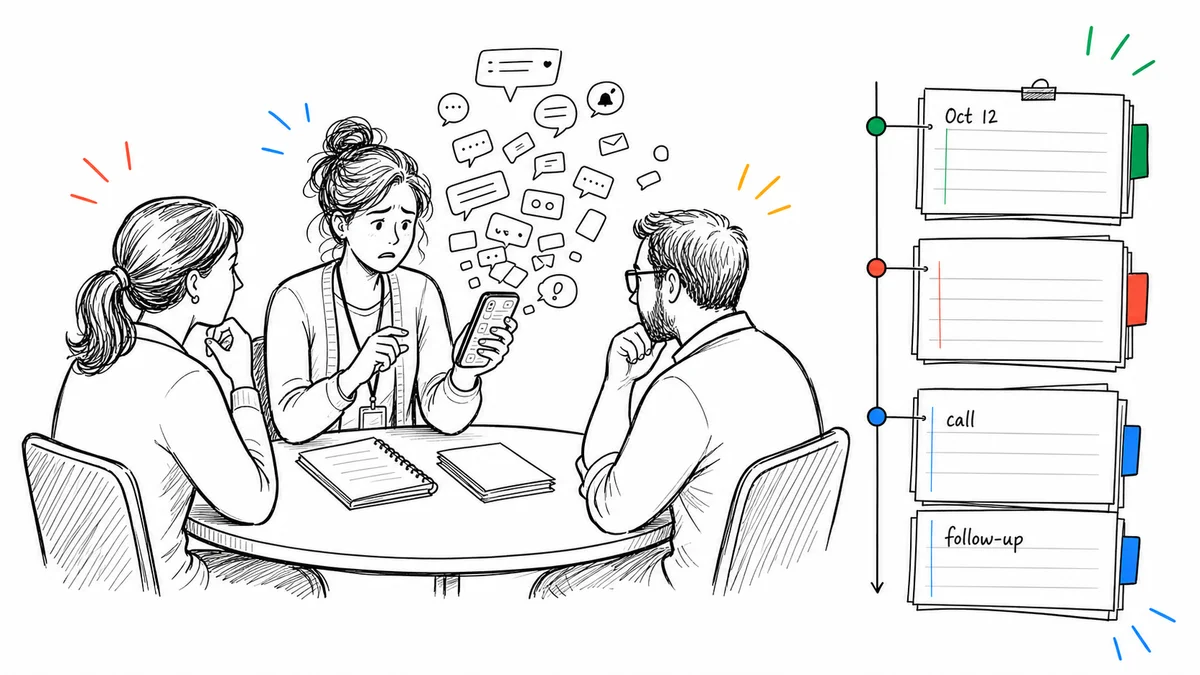
Finding the best parent teacher communication apps 2026 has to offer is not about finding the cutest interface. It is about finding a tool that gives you a clear, organized record when you need it.
Most parent communication apps are built for school culture. They are designed for broadcast announcements, sharing photos of the science fair, and sending out reminders for spirit week. Those features are fine.
But the question nobody asks when comparing these apps is simple: can I pull up a complete contact history for a specific student in under a minute? If you want the fuller case for why that record matters, here is how to document parent contact as a teacher. If you'd rather start with pen and paper before picking an app, our free printable parent communication log covers the same basic contact-record habit.
I have spent twenty years working in education. Here is my honest breakdown of where every major tool actually stands.
| App | Best For | Documentation Record |
|---|---|---|
| ClassDojo | Classroom culture and points | Messaging history exists; behavior documentation is primarily points and classroom activity, not a detailed teacher note log |
| Remind | Mass announcements | Exportable message history; not built around teacher-created behavior or contact notes |
| Bloomz | All-in-one school features | Messaging within a broader school communication platform; not primarily a teacher documentation log |
| Seesaw | Student work portfolios | Messaging and student portfolio tools; not primarily a private teacher documentation system |
| ShortHand | Student documentation and parent communication together | Built from the same teacher record; logs the contact and can generate the message from it |
Why Most Apps Fail at Documentation
The apps teachers use most are built to impress in a sales meeting, not to hold up at a parent conference. When a parent disputes your outreach, you need a timestamped, searchable, per-student contact record. You need it in seconds. Most apps cannot give you that.
Here is where each tool falls short, and what you should be using instead.
Many teachers end up running three or four different tools at the same time: one for class announcements, one for direct messaging, one for behavior notes, and sometimes a spreadsheet for contact records. None of them share data. When a parent dispute arises and you need a complete picture of what was communicated and when, you are left cross-referencing tabs and scrolling through app feeds. The gap between those systems is exactly where "I was never contacted" disputes take root.
ClassDojo: Great for Culture, Weak on Documentation
ClassDojo is everywhere. Kids love the little avatars. Parents love the updates. If your goal is building a positive classroom culture, it does its job well.
But as a documentation tool, it falls apart. The behavior log is points-based. You give a student a plus or a minus, and no context goes with it. When a parent demands to know what happened on a specific Tuesday three months ago, ClassDojo gives you a red minus symbol and nothing else.
A minus point is not a behavior record. It tells you something happened, not what happened, and that gap is the whole problem when you need to explain yourself. It is a classroom management game, not a professional log. If ClassDojo's culture-building side is what drew you in but the documentation gap is a dealbreaker, our full ClassDojo alternatives comparison covers more tools built specifically to close it.
Remind: A Great Megaphone, Nothing More
Remind is fantastic at one specific thing. If you need to tell sixty parents that the field trip bus is running late, it is the best tool on the market. Open rates are incredible because messages land directly in text threads.
But it is not a record-keeping tool. There is no per-student contact log. You cannot pull up a history of every interaction with a specific family. There are no timestamps on private notes you keep for your own records. It is designed for broadcasting, not for building a searchable contact history.
Bloomz: Powerful but Impossible to Search Under Pressure
Bloomz does almost everything. Scheduling, portfolios, messaging, behavior tracking. It is genuinely impressive in a demo.
The problem is the interface is overwhelming. Because it tries to do everything, finding a specific private note about a parent phone call from three months ago requires clicking through multiple sub-menus. When you are sitting in a meeting and a parent is angry, you do not have time for that. You need the record in seconds, not minutes.
Seesaw: Built for Portfolios, Not Private Documentation
Seesaw is wonderful for student work. Parents love getting a digital window into the classroom.
But it is parent-facing by design. You would never log a sensitive behavior incident or notes from a difficult phone call in a student portfolio app. When you need a private, secure record of your outreach history, Seesaw is simply the wrong tool for the job.
ShortHand: Built Around the Contact Record
This is the tool I built, so read this section with that in mind. Here is the honest tradeoff: ShortHand does one job, and it gives up the things the apps above are good at to do it.
There is no announcement feed. You cannot blast a message to sixty families about the late bus. Parents do not log in, and there are no photos, portfolios, or points. If those are what you need, one of the tools above is a better fit than mine.
What it does instead is keep the record. Every parent contact is timestamped, tied directly to a student, and searchable. You log a phone call, summarize the conversation in two sentences, and save it. When a parent says nobody ever told them about a grade, you pull up the exact date, the exact time, and your summary in about ten seconds.
The other tools on this list treat sending a message and keeping a record as two separate jobs. ShortHand treats them as one: log what happened with a student, and it can turn that same note into the parent email, subject line and all, ready for you to review and send. The documentation and the communication come from the same entry instead of living in two different places.
That narrowness is the point. The reason the record is fast to search is that there is nothing else in it.
You do not need school buy-in. You do not need a district training session. You go to getshorthandapp.com and start immediately. It is free to start for individual teachers.
The Bottom Line
If your main concern is broadcasting announcements, Remind is fine. If you want student portfolios, use Seesaw. But if your biggest concern is having an organized, searchable record of every parent contact, there is only one tool built for that.
Try ShortHand free at getshorthandapp.com and have your contact log set up before the end of the day.
Related reading: How to Document Parent Contact as a Teacher | Free Parent Communication Log for Teachers | 8 Best Parent-Teacher Communication Apps in 2026
Frequently Asked Questions
Stop trying to remember everything.
Try ShortHand Free →