How to Write Behavior Emails to Parents (Without Overthinking Every Word)
A simple structure that makes parent communication faster and less stressful
Writing behavior emails to parents can feel harder than it should be.
Not because you do not know what happened, but because you want to say it the right way. You want to be clear without sounding negative. You want to be honest without creating tension. And you want the message to actually help, not make things worse.
As a third-grade teacher, this was something I used to overthink all the time. I would sit there after school trying to find the right wording, second-guessing every sentence, and sometimes putting it off altogether because I just did not have the energy. If that sounds familiar, you are not alone.
The good news is that there is a simple approach that makes these emails faster and more effective. Once you have the structure, the blank page stops being so intimidating.
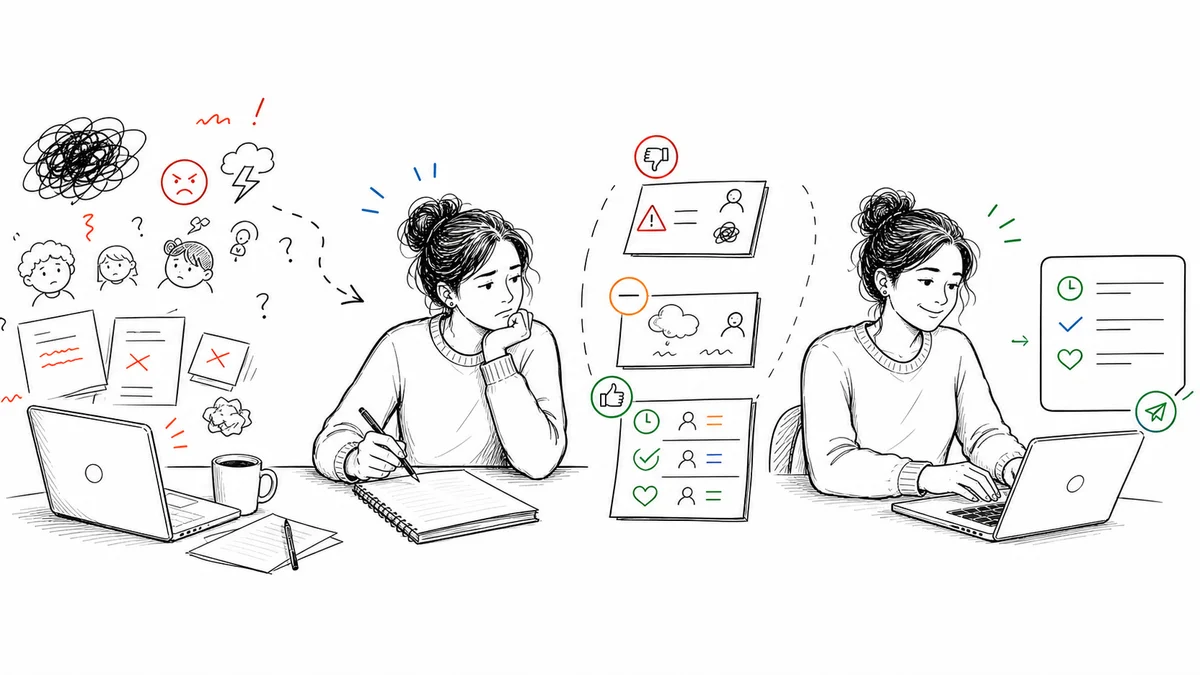
Why Behavior Emails Feel So Hard
The problem isn't really the writing. It's the stakes.
When you write to a parent about their child's behavior, you're starting a conversation that could go in a lot of directions. The parent might be grateful and responsive. They might be defensive. They might already know and be exhausted by it. They might not believe you. You're trying to write something professional enough to hold up if things escalate, and warm enough not to put the parent on the defensive before they've even read the second sentence.
That's a lot to balance at 4:00 PM when you've been on your feet since 7:45.
The other thing that makes it hard is memory. The behavior happened hours ago. You know it happened, but the specific details -- what exactly was said, what triggered it, how it resolved -- get blurry fast. Writing an email from a blurry memory means vague language, and vague language is the enemy of a good behavior communication.
Start With the Purpose of the Message
Before you write anything, get clear on your goal.
Most of the time, you are not trying to report a problem. You are trying to keep a parent informed and work together to support the student. That shift matters more than you might think.
Instead of approaching it as "I have to tell them what went wrong," try "I want to share what I am seeing and keep us on the same page." That mindset alone will change your tone, and parents can feel the difference.
Quick Reference: Do's and Don'ts
| Instead of this... | Write this instead |
|---|---|
| "He was disruptive today" | "Required 3 verbal redirects during independent math at 9:40 AM" |
| "She's been having a hard time" | "Struggled with transitions from math to reading 4 of the last 5 days" |
| "He doesn't listen" | "Did not follow first or second verbal prompt; completed task after third" |
| "Things are getting worse" | "Incidents increased from 1x/week in September to 3-4x/week in October" |
| "I handled it" | "Offered a movement break; student returned to task within 2 minutes" |
| "She's doing better" | "Completed all transitions independently for 3 consecutive days this week" |
Keep It Specific and Objective
One of the biggest mistakes is being too vague. Saying a student was "having a hard day" does not give parents much to work with. It also leaves room for confusion and defensiveness.
Describe what actually happened in plain, observable terms. Leave out the interpretation -- you don't need to explain why you think it happened or what it means about the student. Just describe what you saw.
For example:
"During independent reading, your child had difficulty staying on task and needed several reminders to begin their work."
That gives a clear picture without sounding harsh or emotional. You don't need a long explanation. You just need a clear one.
Specific and objective also keeps the conversation grounded. If the details ever come up again, "needed several reminders to begin independent reading at 9:40 AM" gives everyone a clear reference point, where "was distracted" leaves room for interpretation.
Add Context Without Making Excuses
Parents benefit from knowing when and where the behavior is happening. This helps them see patterns and gives them a better understanding of the situation without making it feel like you're letting the student off the hook.
You might include:
- The subject or activity
- Time of day
- Whether it was independent work, group work, or a transition
- Whether it was a pattern or an unusual day
For example:
"This happened during math centers, which can sometimes be a challenging time for transitions."
This adds helpful context without shifting responsibility away from the student. It's honest. It's professional. And it opens the door for the parent to share their own observations.
Keep the Tone Calm and Steady
Tone is everything in these messages. Even if you felt frustrated in the moment, the email should read as calm and professional. Think of it as starting a conversation, not reacting to a situation.
A simple test: reread the message and ask yourself whether you would feel comfortable receiving it as a parent. If the answer is yes, you are on the right track. If you notice words or sentences that feel accusatory, defensive, or emotionally charged, rewrite those parts first.
Calm doesn't mean distant. You can still be warm and human in these messages. The goal is not to sound like a form letter -- it's to sound like a professional who cares about the student and wants the parent's help.
Include What You Are Already Doing
Parents want to know that their child is being supported, not just reported on. Even one sentence about what you are doing in the classroom changes the entire feel of the message.
For example:
"I worked with them during that time to get started and will continue to check in during independent work."
This shows that you are not just documenting a problem and handing it off. You are actively helping. That one addition moves the parent from feeling like they need to do something about school, to feeling like the school is handling it and wants them in the loop.
Invite Collaboration, Don't Just Report
The most effective behavior emails open the door for partnership. You don't need a long closing statement. A simple invitation is enough.
"Please let me know if you are seeing anything similar at home, or if there is anything that tends to help your child in these situations."
This keeps the tone collaborative. It signals that you value the parent's perspective. And it often surfaces useful information -- parents know things about their kids that never make it into the school file.
A Structure You Can Use Every Time
If you want something you can rely on, this order works well:
- Brief, warm opening
- Specific description of the behavior (what, when, where)
- Context (what was happening, whether it's a pattern)
- What you are already doing to support the student
- Invitation for the parent to respond or share
It keeps your message focused, professional, and actionable. Most emails written with this structure come in under 150 words, which means parents actually read them.
Sample Behavior Emails to Parents (Copy and Paste)
Here are three real examples using that structure. Fill in the details for your student and you're done. One situation these do not cover: a physical altercation. That email has its own rules, and the email to parents about a fight at school guide walks through them with templates.
Example 1: Off-task behavior, first notice
Hi [Parent name],
I wanted to give you a quick heads-up about something I noticed today. During our independent reading block this morning, [Student] had difficulty staying on task and needed several reminders to get started. It wasn't a major issue, but it was different from how they usually come in, so I wanted to keep you in the loop.
I checked in with them one-on-one before lunch and they seemed to settle in better after that. I'll keep an eye on it this week.
If anything is going on at home that might be affecting their focus, feel free to let me know. I'm happy to connect if it would help.
Thanks, [Your name]
Example 2: Repeated behavior, pattern you're documenting
Hi [Parent name],
I'm reaching out because I've noticed a pattern over the past week that I wanted to share with you. During transitions (particularly from math to lunch), [Student] has been having difficulty managing frustration. On three occasions this week, they became upset and needed a few minutes to calm down before rejoining the class.
I've been giving them a two-minute warning before transitions and that's been helping. I want to make sure we're working on this together, so I'd love to hear if you're seeing anything similar at home or if there are strategies that tend to work well for them.
Let me know if you'd like to set up a quick call.
Thanks, [Your name]
Example 3: Physical incident, professional and factual
Hi [Parent name],
I need to share an incident that happened today during recess. [Student] and another student had a disagreement that became physical. [Student] pushed the other student. No one was hurt, and both students were brought inside to talk through what happened. [Student] took responsibility and apologized.
I've spoken with them about why that kind of response isn't okay and what to do instead. We're going to check in again tomorrow.
I wanted you to hear this directly from me. Please feel free to call or email if you have questions.
Thank you, [Your name]
These are starting points, not scripts. The most effective emails are the ones that include the real details from your specific situation. The more specific you are, the more useful the message becomes, for the parent and for your own records.
The Real Problem: Finding the Time and Details
Here is the honest part. Knowing what to say is usually not the problem. The time it takes to write it -- and the fact that the details have already gotten fuzzy -- is.
After a full day of teaching, even a short email can feel like a big task. That is why communication often gets delayed even when teachers know it would help. By the time they sit down to write, the specific details are gone and they're working from a general impression.
I wrote more about this in The Fastest Way to Turn Behavior Notes Into Parent Messages, but the short version is this: the bottleneck is almost never the information. It is the gap between the moment it happened and the moment you sit down to write.
How to Close That Gap
The system that actually works is one where the note gets captured in the moment, and the email gets drafted from that note rather than from memory hours later.
That's the problem I built ShortHand to solve. You log a quick behavior note during the school day -- one tap to select the student, one tap for what you saw, done in a few taps. Later, ShortHand uses that log to draft a parent communication that's already clear, specific, and professional. You review it, adjust the tone if you want, and send.
Instead of staring at a blank screen trying to remember what happened, you're reviewing something that's already written. The hardest part is already done.
Why This Matters Beyond Saving Time
When writing behavior emails becomes faster and easier, the communication becomes more consistent. You reach out sooner. You follow up more often. Small issues get addressed before they grow into bigger conversations.
It also takes pressure off at the end of the day. And honestly, that matters more than most people realize.
Clear and consistent communication with families is one of the most powerful tools a teacher has. It doesn't have to be perfect. It just has to happen.
The easier it is to do, the more often it will happen. And that is what makes the real difference.
Want all 10 templates in one place?
Gregory Lebed is a 3rd grade teacher with 20+ years in education and a former Registered Behavior Technician (RBT).
Part of The Teacher's Complete Guide to Parent Communication.
Frequently Asked Questions
Stop trying to remember everything.
Try ShortHand Free →