Student Observation Apps: What Actually Works for Classroom Notes in 2026
Paper, spreadsheets, portfolio apps, and dedicated note apps compared by the only test that matters: can you use it mid-lesson?
Here is how student observation actually works in most classrooms. You notice something worth remembering: a kid finally decodes a word that has been beating him for weeks, or two students have their third silent standoff of the morning. You think "I need to write that down." Then you teach for four more hours, and by 3:30 the observation lives only in the part of your brain that also lost your car keys.
I spent years doing structured observation professionally, as a Registered Behavior Technician, before I ever ran my own classroom. RBTs record behavior all day; it is the core of the job. So I came into teaching assuming I would keep great observation records. Then I met the reality of teaching 25 kids alone, and my beautiful system collapsed by mid-September.
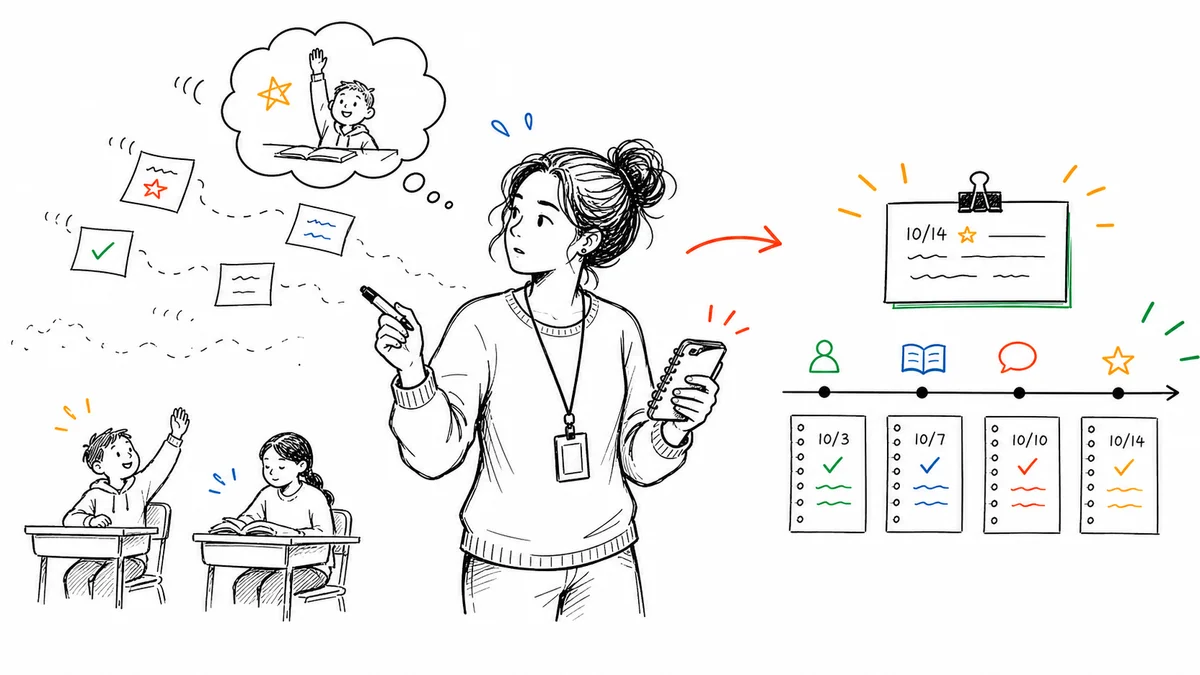
The problem was never discipline. The problem was that every system I tried failed the same test: it could not be used in the moment, while teaching. So before comparing tools, that is the bar. Everything below is judged on three questions:
- Speed: Can you capture an observation in under 30 seconds, mid-lesson?
- Retrieval: Can you pull up everything about one student instantly, before a meeting?
- Survival: Will you still be using it in March?
One clarification before we start: this post is about teachers observing students (anecdotal records, behavior notes, skill observations). If you were looking for tools where administrators observe teachers, that is a different category entirely.
Sticky notes and the clipboard
The classic. A clipboard with a class roster, or sticky notes that eventually migrate to a folder.
Speed: Genuinely fast, if the clipboard is in your hand. Which it is not, because you are holding a guided reading book, a whiteboard marker, and someone's loose tooth.
Retrieval: This is where paper dies. The night before a parent conference, you are physically sorting sticky notes on your kitchen table looking for everything about one child. Notes get lost, coffee happens, and handwriting from a hectic Tuesday is a mystery by June.
Survival: Low. Paper systems have the highest abandonment rate of anything on this list. The gap between "I'll transfer these later" and actually doing it swallows the whole system.
Paper still beats nothing. If it is your style, at least use a structured log page rather than loose stickies, so each note gets a date and a student name by default.
Spreadsheets (Google Sheets, Excel)
One row per observation, one tab per student. Tidy, free, and infinitely customizable.
Speed: Terrible in the moment. Nobody opens a laptop mid-lesson, finds the right tab, and clicks into the right cell while 25 children detect the exact second your attention leaves the room. Spreadsheets are batch tools: they assume you will write everything down after school, from memory. But memory is the exact problem observation records exist to solve.
Retrieval: Good, if you kept it up. Sort, filter, search: all there.
Survival: Medium at best. Spreadsheet systems die on the first week you are too exhausted to backfill, which for most teachers is a week in October with a name like "conference prep."
The honest verdict on app vs. spreadsheet: if your observations happen at your desk, a spreadsheet is fine. If they happen in the middle of teaching, which is where the good ones happen, you need something that lives in your pocket.
Google Forms feeding a spreadsheet
A clever upgrade: build a form with dropdowns (student, behavior type, note), keep it on your phone's home screen, and every entry lands in a spreadsheet automatically.
Speed: Decent. Fifteen to thirty seconds once you have the form open. Building a good form takes an evening, and every roster change means editing the form.
Retrieval: You get the spreadsheet's filtering, but reading observation history means squinting at rows, and there is no per-student view without building one yourself.
Survival: Better than raw spreadsheets. The teachers I know who lasted longest on a DIY system used this. The ceiling is that it only captures; it does nothing with what you captured. Every report, email, and meeting summary still starts from a blank page.
Portfolio apps (Seesaw and similar)
Seesaw and its cousins are built around students documenting their own work and sharing it with families.
Speed: Fine for photos of work; clunkier for a quick private note about behavior.
Retrieval: Organized by student, which is right. But these apps are fundamentally family-facing: the design pushes toward sharing, not toward private professional records. A note about a playground incident does not belong in a portfolio parents browse.
Survival: High for their real purpose, which is celebrating and sharing student work. If that is what you mean by observation, a portfolio app is a good answer, and our comparison of ClassDojo and Seesaw covers that territory. For documentation observations, the kind you need for IEP input, conferences, and behavior patterns, they are the wrong shape.
Dedicated observation and note apps
This is the category built around the actual job: capture a dated, private, per-student note in seconds, then find and use it later. It is also, full disclosure, the category I ended up building in, because nothing else survived my own classroom.
The category is small, but ShortHand is not alone in it. BehaviorSnap is the other tool worth knowing: it is built for formal structured observation, the ABC data and interval recording a special education teacher or behavior specialist runs during a scheduled session, and it does that job cleanly. If your role involves formal behavioral assessment, start there. The trade-off is the structure itself: for a general education teacher catching unplanned observations between reading groups, that framework becomes overhead.
ShortHand works like this: open the app on your phone, tap the student, tap what you saw, done. A few taps, mid-lesson, without breaking stride. When one sentence is worth adding, the full note supports typing or voice. Every note is automatically dated and filed under the student. Before a conference or IEP meeting, you open the student and their whole year is right there in order. And when it is time to turn observations into something, a parent email, a progress summary, report card comments, it drafts them from your own notes instead of from a blank page.
Speed: This is the entire design constraint. A few taps or it does not count.
Retrieval: Per-student timeline, searchable, exportable when a meeting needs paper.
Survival: The honest answer is that survival depends on the first two. Systems die when capture is slow or retrieval is useless. Make both instant and the habit keeps itself, because the payoff arrives every time you walk into a meeting already prepared.
For a wider look at this category including incident-focused tools, we compared the options in digital tools for recording student incidents and the broader behavior tracking apps roundup.
What to record, whatever you choose
The tool matters less than the habit, and the habit is simple: facts, dated, in the moment.
- "10/14, partner reading: J. read a full page aloud without stopping. First time this year."
- "11/2, math: M. left seat 4x in 20 min, returned with one verbal prompt each time."
- "1/9, recess: K. invited the new student into the four-square game unprompted."
Notice: no interpretations, no diagnoses, no adjectives doing dishonest work. Just what happened. That is what holds up in an IEP meeting, fills a conference with substance, and turns into an accurate report card comment in June. The teacher's complete guide to documenting student behavior covers the full method.
The bottom line
Every observation system is a bet on your future self. Paper bets you will stay organized. Spreadsheets bet you will backfill after school. Forms bet you will maintain the plumbing. The only bet that has ever paid off in my classroom is the one that asks almost nothing: a few taps, in your pocket, filed automatically.
That is what ShortHand is. Try it free, log three observations tomorrow, and see if the habit finally sticks.
Gregory Lebed is a 3rd grade teacher with 20+ years in education and a former Registered Behavior Technician. He built ShortHand to help teachers spend less time on paperwork and more time teaching.
Frequently Asked Questions
Stop trying to remember everything.
Try ShortHand Free →